Activity Plans
What is an activity plan?
An activity plan is a set of preconfigured activities or actions that can be reused within the system.Activity plans help organize repetitive work by providing a reusable structure for tasks.
In this guide
- Access the activity plan list
- Use list views and tools
- Create an activity plan
- View or edit an activity plan
- Archive, restore, or permanently delete an activity plan
Access the activity plan list
Go to Projects → Configurations → Activity Plans.
The list displays the activity plans registered in the system. From here, you can create plans and access existing records.
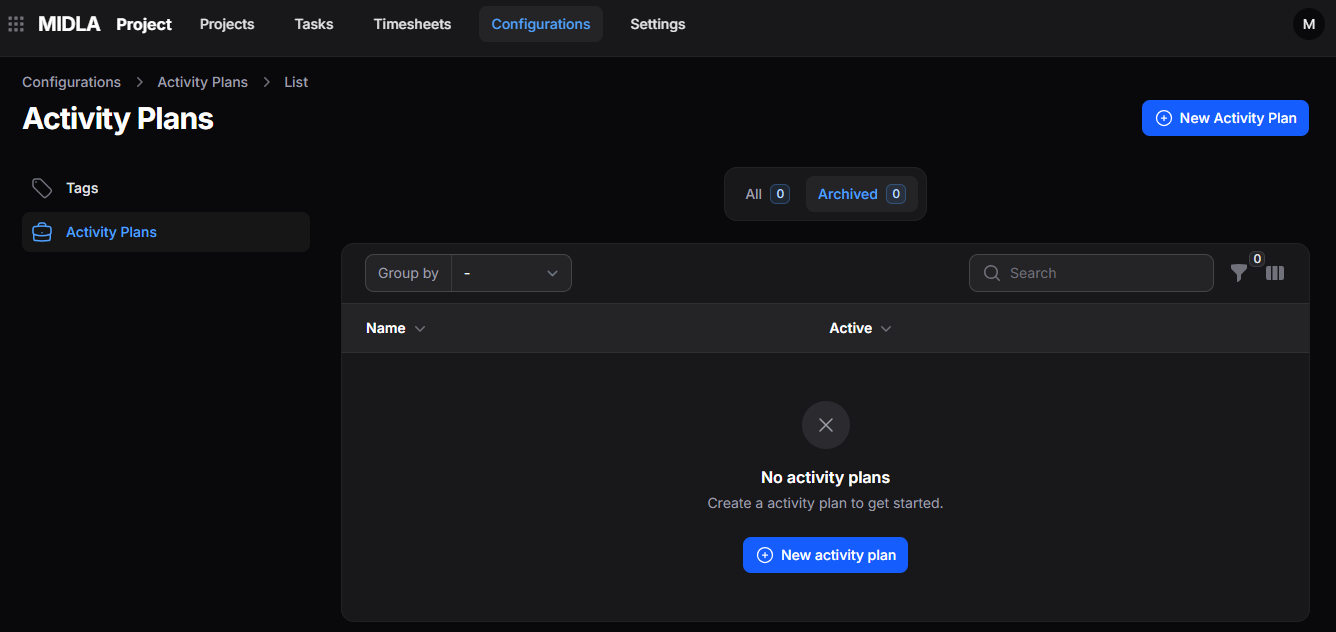
Figure 1. Activity plans list
List views and tools
Available views
- All: displays activity plans in the main list.
- Archived: displays plans removed from the main list. From this view, you can restore or permanently delete them.
Available tools
Groups activity plans according to the available criteria.
Locates activity plans in the list.
Displays plans that meet the selected conditions.
Lets you choose which columns appear in the list.
Create an activity plan
- Go to Projects → Configurations → Activity Plans.
- Select New Activity Plan.
- Complete the form.
- Select Create to save the plan.
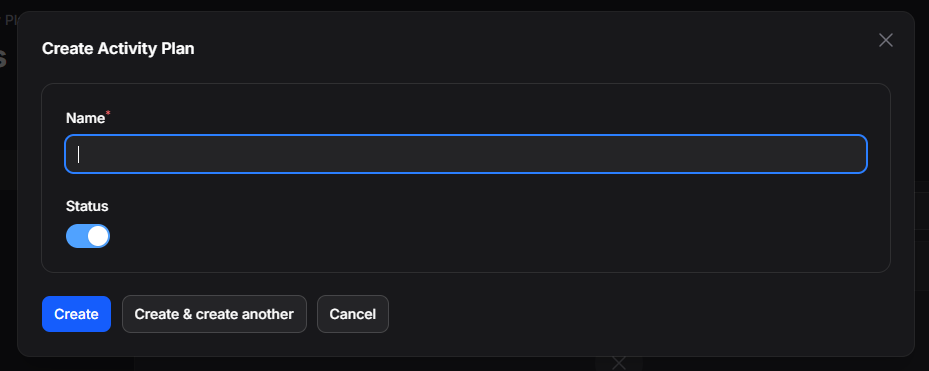
Figure 2. Activity plan creation form
Available fields
- Name: defines the activity plan name.
- Status: indicates whether the activity plan is active or inactive.
Available actions
- Create: saves the plan and completes the creation process.
- Create and create another: saves the current plan and opens a form for a new one.
- Cancel: closes the form and returns to the main list.
View or edit an activity plan
Select an activity plan from the list, or use View, to see its registered information, including its name and status.
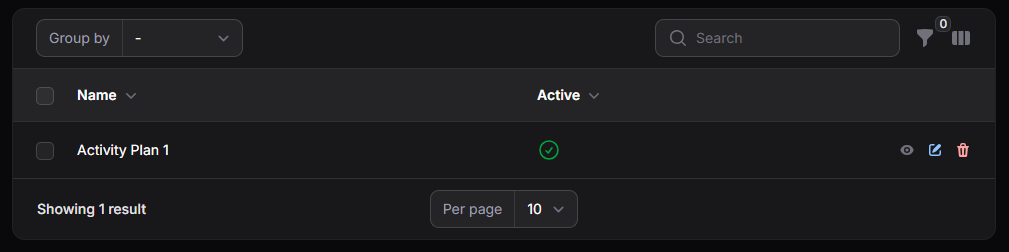
Figure 3. Activity plans in the list
To change an existing plan, select Edit. The form displays its current information so you can make the necessary changes.
The edit form has the same fields as the creation form.
Archive, restore, or permanently delete an activity plan
Select Delete to move an activity plan to Archived. It will no longer appear in the main list.
In the Archived view, you can:
- Restore the plan to the main list.
- Delete Permanently to remove it from the system.
An activity plan removed with Delete Permanently cannot be recovered.